
The Visual Brain of Early Learners
Before children learn to decode letters and sound out words, they read pictures. In early childhood education (ages 3 to 6), illustrations carry the heavy lifting of comprehension, character motivation, and emotional connection. When developing digital storytelling software, an ai children book creator must prioritize a picture-first layout rather than treating images as secondary decorations.
This guide explores the design decisions behind visual-led storytelling and how it benefits preschool and kindergarten families.
Research in developmental psychology shows that young children process visual information up to 60,000 times faster than text. For a toddler or preschooler, a book is not a series of alphabetic strings; it is a sequence of visual events. When a child looks at a page, they look for clues to explain what is happening, who is speaking, and how the characters feel. If a digital story creator places long, complex paragraphs on a screen, the child experiences cognitive overload, leading to frustration and disengagement. A picture-first layout resolves this by keeping the visual narrative front and center, ensuring that the technology matches the child's natural cognitive processing patterns.
In the context of early educational theory, this layout acts as a form of instructional scaffolding. The picture provides a visual structure that helps the child deduce the meaning of unfamiliar words in the text. For example, if a child reads the word "meadow" and sees an illustration of a wide, green field filled with flowers, they immediately establish the correct definition. Without the picture, "meadow" remains an abstract set of letters. By putting pictures first, we create a supportive learning framework that encourages exploration.
1. Anchoring Attention with Picture-First Layouts
Traditional text-based AI generators are built for adults. They produce walls of text with a small, generic illustration at the top. For a young child, this layout creates immediate fatigue. A child-focused creator reverses this structure to optimize engagement:
- The visual is the main event: The illustration occupies the majority of the page. The colors, character expressions, and backgrounds are detailed and vivid, giving the child plenty of elements to explore.
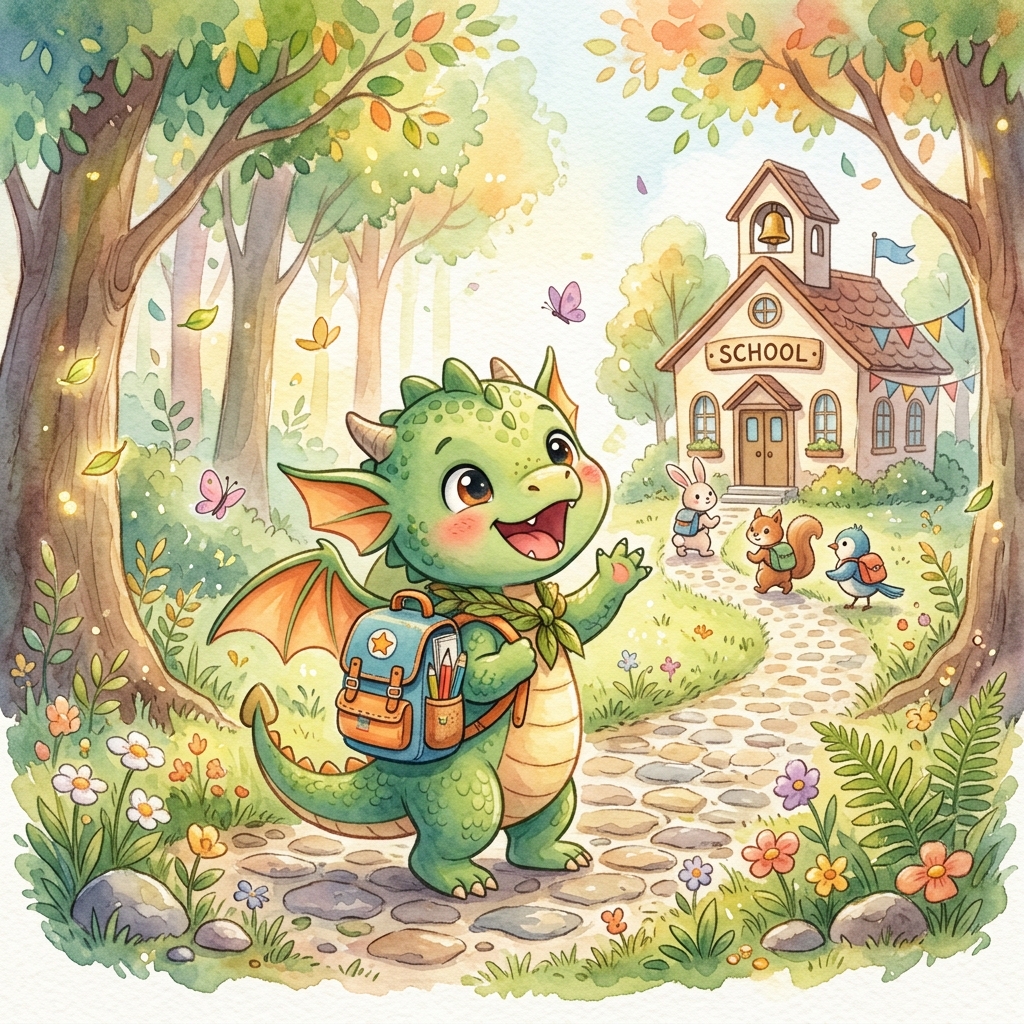
- Minimal and structured text: The text is limited to a single, high-contrast line of text per page (e.g., "Danny the dragon wore his new orange backpack to forest school."). This makes it easy for parents to read aloud and for early readers to trace the letters.
- Direct mapping: Every visual element in the illustration should directly mirror the vocabulary used in the text. This helps children build semantic associations, linking the sound of words like "backpack" or "forest" directly to the visual elements on screen.
By minimizing textual clutter and maximizing visual clarity, a story creator app supports early literacy and visual logic.
2. Cover Generation as a Creative Milestone
Creating a book is a significant project for a child. One of the most engaging steps in an ai children book creator is generating the book cover. In traditional publishing, the cover is designed last. In child-focused AI storytelling, we reverse this process: the cover is created first.
Seeing their ideas synthesized on a front cover—complete with a title, their own name as the author, and a custom character illustration—provides immediate positive reinforcement. It gives the child a tangible target and builds excitement for the rest of the project:
- Validating the Concept: Generating a cover allows the child to verify that the AI model understood their main character and setting. If they want a story about a bunny on a bicycle, seeing that bunny on the cover confirms their idea has been heard.
- Exploring Art Styles: Children can experiment with Art Styles—such as soft watercolor, crayon sketches, or friendly 3D clay models—to find a style they love before generating the full book.
- Setting the Narrative Goal: The cover acts as the "anchor" or "visual contract" for the rest of the pages, helping the child stay focused on a single topic rather than drifting off into unrelated subplots.
This cover-first workflow models the creative process as a series of achievable milestones, keeping children motivated from the first page to the last.
3. Gamified Learning and Social Sharing
Storytelling is a social experience. Children love to show their work to parents, grandparents, teachers, and friends. A kid-focused AI editor should support sharing in a way that respects family privacy while building the child's confidence:
- Private Sandbox: All newly created books are kept private to the creator's account. This allows families to edit, test silly ideas, and correct typos without pressure.
- Invite-Only Circle Shelf: Creates a shared feed where classmates or extended family can view, read, and bookmark approved storybooks.
- Leaderboard Points System: Children earn "creator points" on a local, safe leaderboard when circle members read or like their stories. This gamified layer encourages kids to keep creating and writing, turning literacy into an active, rewarding achievement.
- Safe Display Names: To protect child identity, the platform enforces safe display names (e.g., "Creator Sam" instead of "Sam Miller") and bans public comment sections, preventing any form of unmoderated text or online bullying.
Visual Literacy Activities for Co-Reading
To turn your generated books into active learning sessions, try these visual exercises during your next co-reading session:
- Spot the Detail: Ask your child to find specific, unmentioned items in the generated illustration (e.g., "Can you find the sleeping squirrel in the tree?").
- Describe the Mood: Look at the colors of the scene and ask how the scene feels (e.g., "Why do you think the background is dark blue? Is it night time?").
- Alternate Resolutions: Look at the final page and ask, "If Danny the dragon didn't go to school, where else could he have gone with his backpack?" This exercises hypothetical thinking and creative extension.
Designing for a Child's Future
Ultimately, the goal of an ai children book creator is to build a positive relationship between the child and digital media. Instead of consuming passive screens, children learn to treat computers as tools for creation. A visual-first approach respects their cognitive development stage, ensuring that they can lead the creative process even before they learn to type. By putting pictures first, we prepare young minds for a future of visual literacy and creative expression.