
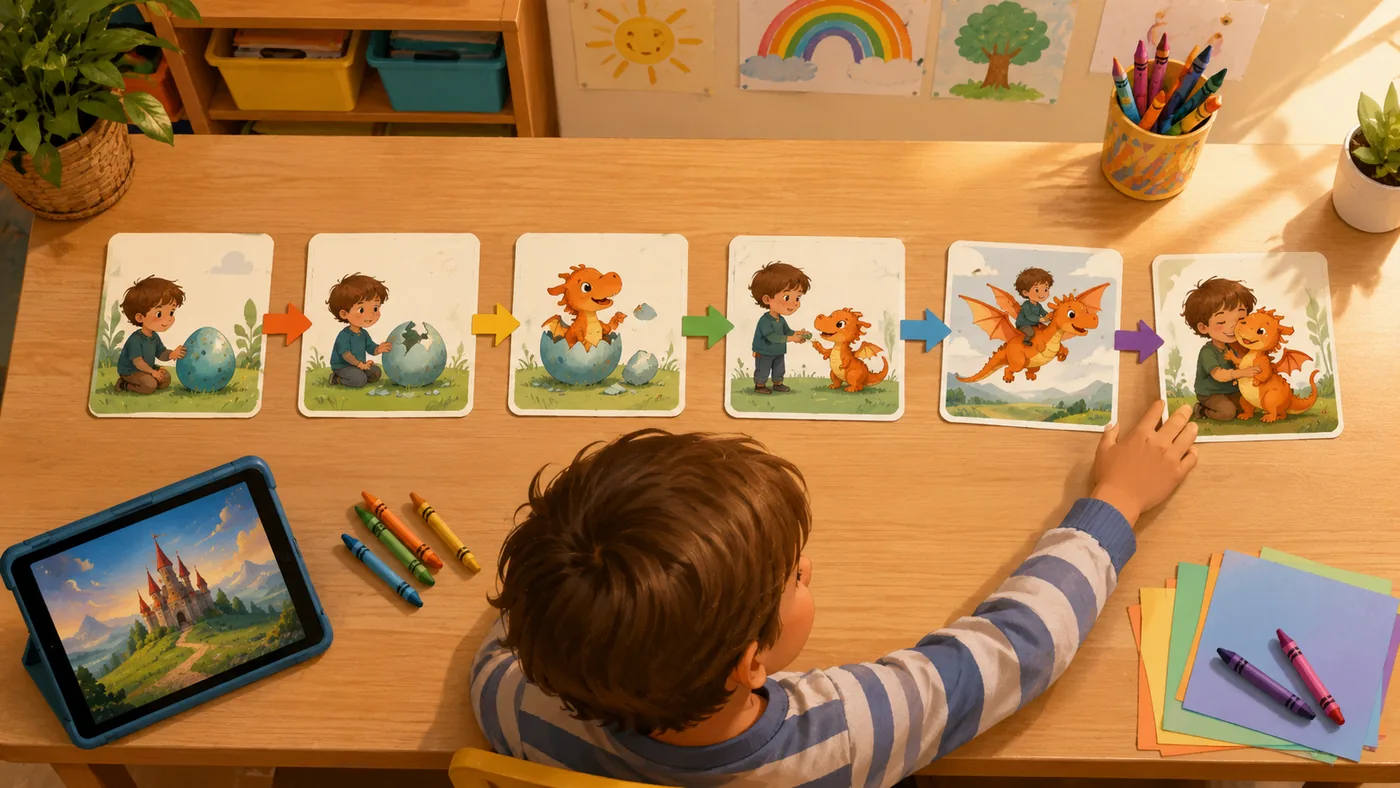
Storyboards Turn Imagination into Order
An ai storyboard generator can do more than create attractive pictures. Used well, it can help children practice one of the most important early thinking skills: putting events in order. Young children often have vivid ideas, but those ideas arrive all at once. A dragon, a lunchbox, a cloud, and a bicycle may all appear in the same sentence. The adult's job is not to correct the imagination away. The job is to help the child organize it.
This is where TaleHug's storybook format is useful. Each page asks a hidden logic question: what happens now? The child sees that a story is not just a pile of fun objects. It is a path. A character begins somewhere, notices a problem, tries something, learns something, and arrives at a small resolution.
That page-by-page structure makes abstract logic visible.
First, Next, Then, Finally
Early logic often begins with simple sequencing words. Before children can analyze complex arguments, they learn to say "first," "next," "then," and "finally." A storyboard gives those words a visual anchor. Page one can show the character before the problem. Page two can show the first attempt. Page three can show a surprising result. Page four can show a calmer ending.
TaleHug supports this by turning a prompt or drawing into a compact picture-first draft. A parent might start with: "A little fox wants to build a bridge across a puddle." The draft can then become a conversation:
- First, what does the fox notice?
- Next, what material does the fox try?
- Then, what goes wrong?
- Finally, how does the fox solve it?
This is not a worksheet. It is a story. That matters because children often practice reasoning more willingly when the reasoning is inside play.
Cause and Effect Without a Lecture
Cause and effect can be difficult for children because it requires them to connect two moments. If the character forgets an umbrella, the character gets wet. If the character shares a crayon, a friend can help finish the drawing. If the character rushes, a mistake happens. If the character pauses, the plan improves.
An AI storyboard generator can make those links concrete. TaleHug's illustrations give children something to point at. The parent can ask, "Why did this happen?" or "What could the character try instead?" The child is not only hearing a moral. The child is examining a visible scene and connecting it to the next one.
That kind of guided discussion supports logic in a natural way. Children learn that actions have results, choices change outcomes, and plans can be improved.
Visual Planning Builds Executive Function
Storyboarding also supports executive function: planning, working memory, and flexible thinking. When a child helps shape a story, they must remember the character, keep track of the goal, and notice whether the next page still makes sense. TaleHug makes this easier because the story is short and visual. A child does not have to hold a whole chapter in memory. They can look back at the previous page.
This is especially helpful for children who enjoy drawing. A child can sketch a rocket, a treehouse, or a shy monster, then watch TaleHug turn that idea into a more polished storybook scene. The drawing becomes a planning object. Instead of saying "draw better," the adult can say, "What should this character do first?"
That shifts drawing from decoration to thinking.
Why TaleHug Works Better Than a Long Text Generator
Generic AI writing tools often produce paragraphs. Paragraphs may be useful for adults, but they are not always useful for preschool and early elementary learners. A wall of text hides the sequence. Children may listen politely without understanding the structure.
TaleHug's advantage is that it separates the story into pages. Each page can carry one major event and one visual scene. This makes it easier for adults to guide the child through the logic:
- Does this page match the previous page?
- Did the character remember the goal?
- Is there a reason for the next event?
- Does the ending answer the beginning?
These questions develop story logic without making the experience feel like a test.
A Simple TaleHug Activity for Logic Practice
Parents and teachers can use TaleHug for a quick sequencing activity. Start with one character and one small problem. Keep the story to six pages. After generating the first draft, ask the child to place the pages in order verbally. Then cover one page and ask, "What do you think happened here?"
This small activity encourages prediction, memory, and reasoning. It also gives the adult insight into how the child understands narrative order. If the child jumps from problem to ending, the adult can gently add an attempt page. If the child adds too many unrelated events, the adult can return to the character's goal.
The Real Benefit
The biggest value of an ai storyboard generator is not speed. It is structure. TaleHug helps children see that stories have parts, and those parts connect. A child who practices storyboarding is also practicing planning: before and after, choice and result, question and answer.
For families, this turns story creation into a quiet logic lesson. For children, it still feels like making a book.