
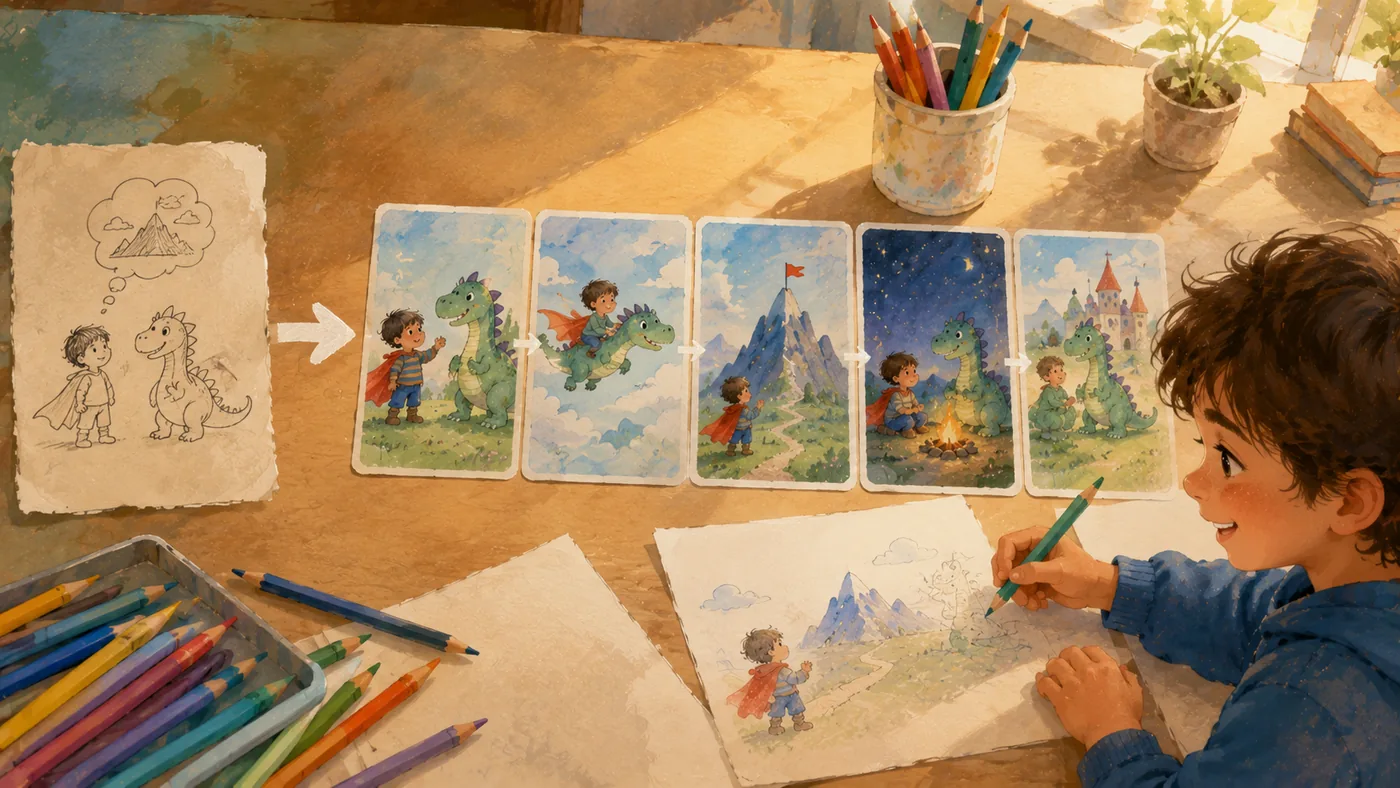
Text Can Become a Drawing Plan
An ai text to storyboard generator free workflow is useful for families because it connects two creative modes: words and pictures. Children may begin with a sentence, but they often understand the story more deeply when they can see it. TaleHug's picture-first format makes this connection practical. A small text idea can become a sequence of illustrated pages, and that sequence can inspire children to draw more.
This matters because drawing is not separate from literacy. When children draw, they choose details, organize space, and explain meaning. A storyboard helps them see that pictures can carry a story forward.
Why Storyboards Invite Children to Draw
A finished illustration can sometimes intimidate children. They may think, "I cannot draw like that." A storyboard, however, invites participation because it shows the parts of a story. The child can draw page one, invent a missing page, redraw a character, or add an object to the background.
TaleHug can help by creating a visual draft from text. The adult can then use the draft as an art prompt:
- Draw what happened before page one.
- Draw the character's bedroom.
- Draw a new tool the character could use.
- Draw the same scene in rainy weather.
- Draw the ending from another character's point of view.
These activities turn AI output into a starting point, not an endpoint.
From Sentence to Scene
A child might write or dictate: "A little boat wants to find a star." That sentence contains a character and a goal, but it does not yet contain scenes. TaleHug can expand it into storyboard moments:
- The boat sees a reflection of a star.
- The boat follows the river.
- The boat meets a quiet frog.
- The frog explains the star is in the sky.
- The boat learns that reflections can still be beautiful.
Now the child has visual moments to discuss and draw. The adult can ask, "Which page would you like to draw yourself?" or "What should the river look like?" The child practices translating text into image.
Building Visual Sequencing Skills
Storyboards teach children that pictures have order. If page three happens before page two, the story feels confusing. This is an early form of visual logic. Children learn that a drawing can answer a question:
- Where is the character?
- What changed?
- Who is helping?
- What problem is still unsolved?
TaleHug's short storybooks make those questions manageable. The child does not need to plan a full movie or comic. They can focus on a few pages and learn how each image supports the next.
Encouraging Art Without Judging Skill
One advantage of TaleHug is that it can make drawing feel useful even when a child is not technically advanced. A scribble, shape, or rough character idea can still influence the creative process. The parent can value the child's idea rather than evaluate the drawing quality.
That is important for confidence. Children who hear "What is your character thinking?" or "What should we add to the next page?" are more likely to keep drawing than children who hear only corrections about neatness.
An AI text-to-storyboard workflow can also show children multiple visual interpretations. The same sentence can lead to different colors, settings, and moods. This teaches that art involves choices.
Supporting Writing Through Art
Drawing can help children write more clearly. After seeing a TaleHug storyboard, a child may notice missing information in the original text. If the picture shows a character in a forest but the child imagined a beach, the child learns to add setting details. If the character looks excited but the child wanted a sleepy mood, the child learns to describe emotion.
This feedback loop is powerful:
- Write or speak a sentence.
- Generate a storyboard.
- Notice what matches and what does not.
- Add details.
- Draw or revise one page.
The child is practicing composition, but the process feels like creative play.
A Classroom Use Case
Teachers can use TaleHug for a simple storyboard center. Give students one shared sentence: "The tiny robot lost its button." Let each child suggest a different setting or solution. Generate short storybook drafts, then ask students to draw one additional page.
The activity supports narrative order, visual planning, and oral explanation. Students can present their page and say where it belongs in the sequence. This helps them practice both art and language.
Why TaleHug Fits the Search Intent
People searching for ai text to storyboard generator free often want a fast way to see how text can become images. TaleHug adds a child-centered layer to that need. It does not only produce a storyboard. It gives families a storybook-shaped draft that can be read, discussed, and redrawn.
For children, that means words become pictures. Pictures become questions. Questions become new drawings. That is a healthy creative loop and one of TaleHug's clearest product advantages.